Top Ethical Blogging and CMS Alternatives

Top Ethical blogging and CMS alternatives

In today’s obsessive privacy focused online world, where big organisations want your data and Joe in the street doesn’t want to give it, it’s good to know there are ethical alternatives when it comes to getting your content out there.

Naturally, as we’ve been utilising WordPress as a CMS for over a decade, we totally recommend its usage but, in this article, we look into alternative platforms that are available for those that want to use something different, that is also open source and adaptable, but more ethical to run.

Ghost
First up is Ghost which lists itself as a ‘powerful platform for creating an online blog or publication’.
Like WordPress you can either self-host or utilise their fully managed Ghost(Pro) infrastructure (similar to wordpress.com) starting from $29 up to $249 per month.

Top Ethical Blogging and CMS Alternatives : Ghost CMS

What makes Ghost ethical?
Ghost was founded in 2013, as a non-profit organisation to create a new platform focused solely on professional publishing.

More info: https://ghost.org

Backdrop CMS
If your current business website is struggling on an old version of Drupal and you’re looking for something a bit more ‘modern’ then Backdrop CMS might be the answer.

Billed as a perfect fit for comprehensive non-profit, educational, corporate, or government websites, Backdrop CMS values the needs of every one of its users; developers, contributors, editors alike.

Top Ethical Blogging and CMS Alternatives : Backdrop CMS

What makes Backdrop CMS ethical?
Built as a fork for Drupal 7, Backdrop CMS is a free and open source CMS aimed squarely at SMEs, non-profits and educational institutions.

More info: https://backdropcms.org

Anchor
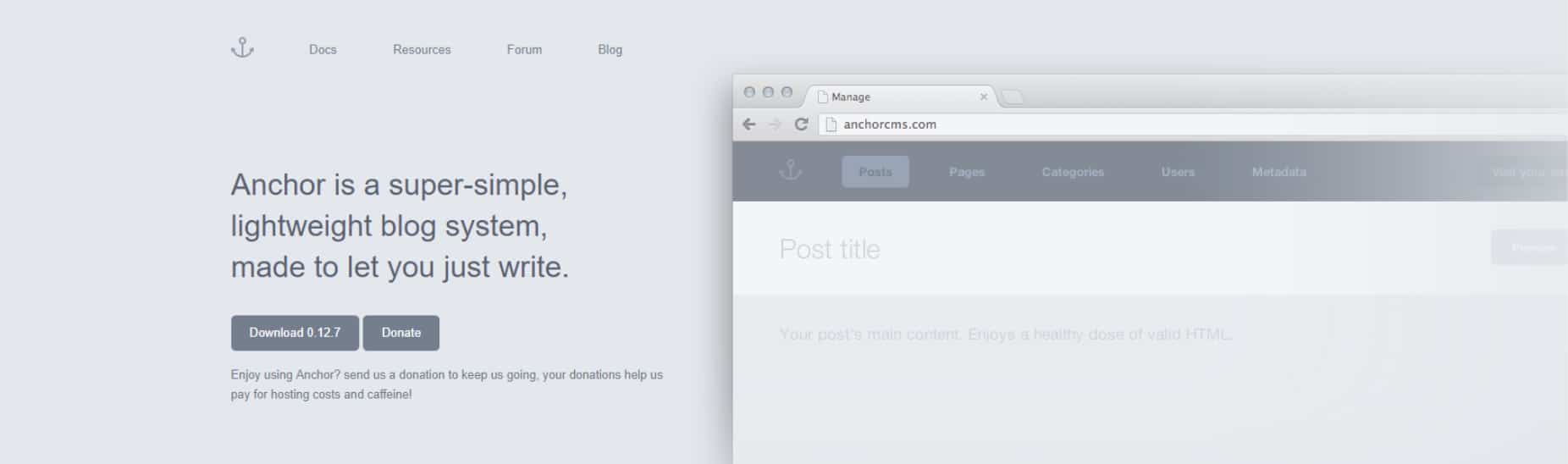
Next on the list is Anchor a super-simple, lightweight blog system, made to let you just write.
The Anchor website features a comprehensive FAQ so getting up and running should be quick and easy.
Although their featured free themes are a bit old, they’ll make a good starting point.

Top Ethical Blogging and CMS Alternatives : Anchor CMS

What makes Anchor ethical?
As it states on the website, ‘Anchor has been, is, and always will be 100% free of charge to everyone’.

More at: https://anchorcms.com

Sigle
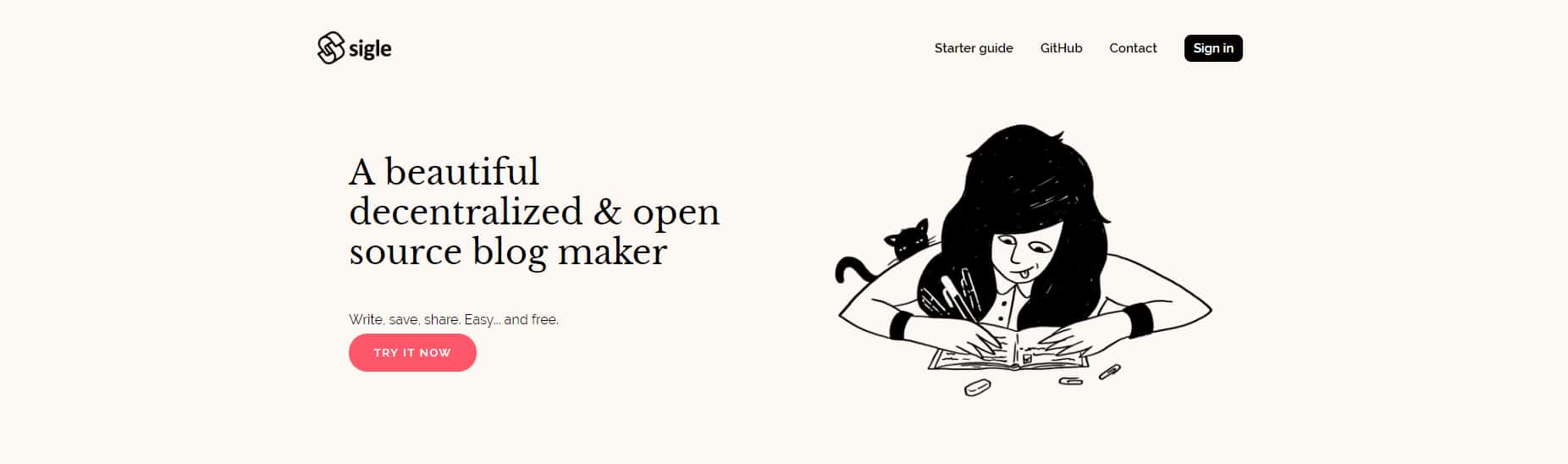
A beautiful, unique and minimalist publishing platform based on the blockchain.
Use their WYSIWYG text editor, to write and edit then simply copy the link and share it to the world.

Top Ethical Blogging and CMS Alternatives : Sigle

What makes Sigle ethical?
Sigle claims to be ‘A beautiful decentralized & open source blog maker’ where no one but you owns your data or your content.

More at: https://www.sigle.io

Textpattern
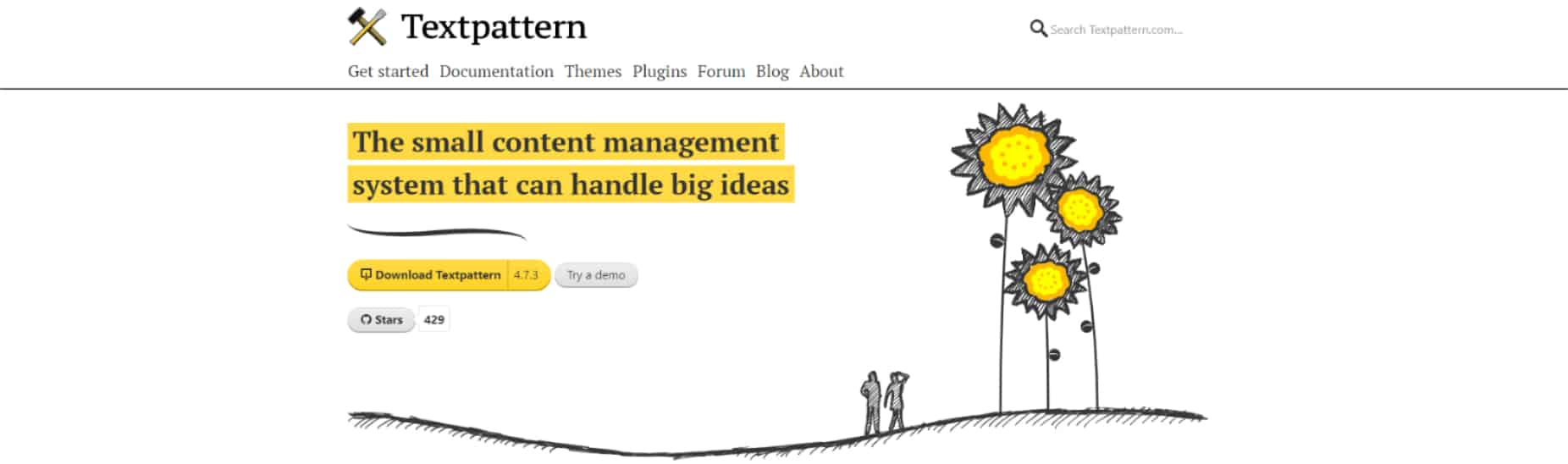
Textpattern is another free, open source, self hosted platform. Its fast, clean, multilingual code ensures your website is free from outside code dependencies or script libraries.

Top Ethical Blogging and CMS Alternatives : Textpattern CMS

What makes Textpattern ethical?
Over a decade of community development has gone into Textpattern, it’s available in 40 languages and user contributions are very welcome.

More at: https://textpattern.com

If you need to discuss your current CMS options or simply looking to improve your business website, get in touch today.

Why you need a business consultant

Why you need a business consultant

It is no secret that start-ups are a chaotic adventure – you’re bursting with ideas and can’t wait to get stuck in, yet you seem to be spending way too much time administering admin, predicting profit margins and setting up your social media.

From day-to-day tasks to fail-safe strategy and advice, here we outline some reasons why hiring a business consultant could be the beneficial boost your business needs.

Save time, money, and your sanity
With anyone setting up in business for the first time, it can sometimes be difficult to admit that you need a helping hand. Chances are the dream of your start-up was fuelled by the love and expertise in your prefered industry, (or a Friday night drinking session) – an enthusiasm that can sometimes be lost in and amongst the multi-tasking nature of an expanding enterprise.

From maintaining your website is up-to-date and secure, to making sure your bills are paid on time and let alone researching digital content optimisation (DCO), it is better to seek specialised expertise for these various areas of your business that really are not your forte.
If you’re a designer, design, if you love data, data yourself up, if you’re into niche marketing, niche it to me.

I took one look at my first tax bill and felt nauseous. Immediately, I went on the search for an account. I regularly hear a lot of people saying the can’t afford an account or want to do it themselves, but, then spend a whole day, or two, each month on the task, time better spent bringing in bacon (to help pay off the massive tax bill!).

The point being, do best what you do best, and leave the rest to the rest.

We all make mistakes, mistakes make us all
An experienced business consultant should, by now, have the well worn t-shirt.
As a business owner, you will make the same mistakes as everyone else so why not learn from someone who has already fallen into the mousetrap and survived.
Their experience could be a catalyst for changing direction towards a profit rather than an expenditure. While you and your employees are often too close to a problem to recognise it, an external eye can offer a different perspective or angle, identifying the strengths and weaknesses of your business from a fresh point of view.

Just spent £5k on a business plan? Why?

Now, that’s a point!
Being the engine in your business, you sometimes miss other areas where you can expand or simply offer a different service to your competitors.
If you’re selling a product, how about offering after-sales support, an add-on or even hooking up with someone else to offer a complimentary service.

We do a lot of white label work for design agencies who need developers.
We also need designers, so reciprocate often.
This also helps us all take on bigger, more prestigious projects, together.

Your customers will come to you for convenience, make them want to convene again.

Kicked arse
Procrastination is best given a swift kicking by productivity, productivity is best fed by being accountable.
A quality business consultant will take notice of how much you set, and managed, to get done this week, as well as being a sounding board for brainstorms, testing new ideas and then harnessing these into goals and action.

If all your current ideas are ‘in a minute’ and you need a to-do list for your to-do list then congratulations, your business is at that point when you need to find a business shoulder to lean on and external help.

So, if you’re ready to grow and expand, taking on the demanding challenges of new clients, new products or even recruitment, get in touch with Point and Stare today to see how we can take your business to the next level – without jeopardising the quality of your existing services.

Five things your start-up doesn’t need to launch

Five things your start-up doesn't need

So, you’ve chosen the red pill and are going it alone, huh?
You’ve told your boss to shove it, you’re fed up working Monday – Friday, 9 – 5 and you have a dream.

Brilliant, now the fun begins where you can choose which 18 hours a day you are in hustle mode, have no regular income and have plenty of time to flick through Youtube and Reddit and all of a sudden you’re an expert on cat videos and ‘asking to see the manager’.

But, seriously though, you’ve a long hard slog ahead of you to build your dream – believe me, it will be hard work – so, to help you through the first hurdles, here’s some things I recommend you don’t do right off the blocks.

1, Glossy brochures
You’ve always dreamed of manufacturing widgets and now the time has come to get the message out there.
The plan – You’re going to trundle over to your targets’ HQ with your laptop and powerpoint presentation and woo their arse off with the shiny new brochures you just spent £5,000 having designed and printed.
OK. So, you’ve no money coming in but managed to spend £5k on a load of brochures that’ll eventually just be ‘filed’ in a cupboard?

2, All singing, all dancing website
The only company that needs an all-singing, all-dancing flashy website is the company selling all-singing, all-dancing flashy websites.
Yes, you do need to get an online presence but, at this point, you simply need to get your domain name registered, sign up with WordPress, write some content and take some photos.
Once the cash starts rolling in, then you might want to update/ upgrade the functions you need for your online business presence, but for now, just concentrate on getting clients.

3, CRM system
Well, from the off it’s best to plan ahead and start collecting data but, that doesn’t mean you have to fork out a big monthly subscription for something you’ll only use 2% of.
At a minimum, and of course it depends on what data you’re collecting, you can opt for a simple Google Sheet or speak with your web host and see what 1 click installs they provide in this area.

4, No product/ service (from a funding/ investors POV)
If you really do need investment, you’ll need to provide minute details of the product or service plus you’ll have to demonstrate actual sales.
No-one will invest in the idea you had in the pub last Friday for an app that is going to change the world.
No-one will invest in your business unless they can see an immediate return.
If you aren’t already selling then no-one is buying.

The other side of this point is, do you really need investment? If so, are there no free/ cheap alternatives that you can utilise to bootstrap (which is basically the crux of this article)?
Don’t forget, if you actually do find someone to invest, you’ll effectively be working for them which is the main reason you left your job in the first place.

5, Business plan
In relation to number 4, unless you’re going for some serious investment, you really don’t need to spend the next 6 months writing a book, producing glorious images and having it covered in natural leather.
Yes, you do need some form of business plan, an outline of what you, realistically, want to achieve, when etc, but, get to the point, and use this as a guide for your own sanity and direction.
Just don’t waste precious time and money on something that will simply be stacked on the shelf.

Synopsis
Ultimately, you’ve started up your new business for various reasons but, above all else you need to pay the mortgage which means you need to concentrate on getting new clients.

I regularly see people spending too much time and effort on the above only to regret it soon after.
Be proud of your decisions, get out there and sell and when you’re making too much money, read this article and look at the above as commodity for reducing your company tax bills.

If you’re looking for help or advice on setting yourself up in business, get in touch today.

HOW TO: Post to Instagram from your desk or laptop

Instagram logged out

We all love Instagram, right, but, you can only access it using their app on your phone, right?
It’s great being able to upload directly from your phone to your Instagram account but, sometimes you just need a bit more control?
Typing out a decent description and a ton of hashtags, for example, can be time consuming.

Here’s a little secret – if you know how, you can access, and post to, Instagram using your desktop.

Here’s how:
Open up your browser and go to instagram.com – here you’ll just see the login screen, so, go ahead and login.
Instagram login screen

Once logged in you’ll see your feed but … there’s no way to actually post!
OMG, how will we survive!

Instagram desktop

And here’s the ‘little secret’
You can do this in any browser, but I’m using Chrome in this example:
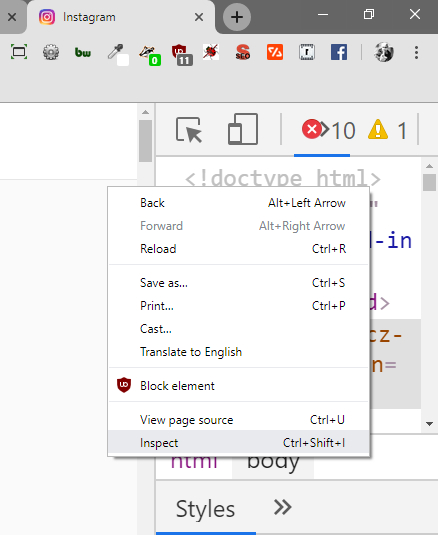
Right click on the screen and select ‘inspect’ – this will open up the developer window.

Instagram developer view

At the top you’ll see the little ‘mobile’ icon (toggle device toolbar); click that then refresh – Voilà! You’re now in mobile mode and, you’ll see the mobile toolbar at the bottom allowing you to post.

Instagram mobile view

So, there it is – a quick and easy way to use your desktop/ laptop to post to Instagram.
Don’t thank me, just carry on being brilliant.

Local SEO – The 5 point listing plan

Local SEO - The 5 point listing plan

As a business, even if your clients are international, you need to also consider the local market.

Searches for ‘your industry, your location’ are widely performed and displaying relevant, comprehensive information is crucial to being chosen over your competitors.

Local SEO is all about communicating to the search engines, Google, Bing etc, the local relevance of your business and your website in general.

How to be found online with local SEO
Adding as much relevant, up to date information as possible is key to being found when a local search is performed, across many portals especially when this information is usually cross referenced by other search engines.
In a basic sense, the more you tell everyone about your business, the more of an online presence you build up, the more your message is available to be found.

Here are 5 top places to post about your business to get yourself found online, locally:

1, Google My Business
Google My Business is a free service operated by Google that allows business owners to supply information that can show up in a Google search, such as business name, address, phone number, (NAP).
Google may also combine the info you provide with sources, including your own website.

2, Bing Places
Bing Places for Business is similar to GMB (above) as it is a free service that enables businesses to add their listings to Bing.
Bing will display the information added to Bing Places for Business when searching Bing and Bing Maps.

3, Yelp Business page
Yelp is another service providing businesses with a free suite of tools to showcase their business.
A Yelp business user account allows you to connect with customers who have written Yelp reviews for your business.

4, FreeIndex
FreeIndex is one of the most detailed sources of business information in the UK with around 1.5 million registered members.
On FreeIndex, businesses are listed in rating order, so it’s easy to see which companies are recommended. As the name suggests, it’s free to add your own business.

5, Scoot/ Touch Local
Scoot and Touch Local operate the largest online only business directory network in the UK, with 400+ websites under their belt.
Like all the others, it’s free and easy to add your business and also offer a range of paid for services.

What’s the plan?
Initially setting up accounts on all these platforms will take time and will become tedious, fast.
If you’ve got access to a PA/VA or simply have a bit of time on your hands, you can do much worse than invest into getting your local SEO up to scratch.
If you simply don’t have the staff or the time, then we can handle all this for you.

Depending on what subscription you choose, you will have access to:
Initial analysis including technical SEO: Making sure your website is correctly set-up for SEO, important pages are indexed and the site in general is accessible on both desktops and mobile phones.
Content audit: Do you publish content online, is it working for you, where is it being seen? Regular, fresh and original content published on your website is key to drawing in visitors and making sales.
Content syndication: Publishing to your website is great, but, syndicating that content out to other platforms can significantly help build your audience.
Monitor, optimise and report: Each month you will receive an outline of tasks undertaken, platforms approached and test new trends.

The benefits of doing all this:
Can deliver long term business growth
Improves customer relations and loyalty
Increases user engagement and trust
Cost effective and time saving
Ideal when combined with planned PPC/ direct advertising campaigns

Let’s get you noticed
The next step is to get in touch. We will then go through the process with you, outline anything needed to start and then we can get rolling.

Phone us right now – 020 3319 7857 – and let’s get your local SEO sorted.

When will old school marketing will be the new school marketing?

Old school marketing will be the new marketing?

As you’ll realise, because it’s part of my job, I’m active on many social media platforms and therefore get to meet people from different parts of the globe and all walks of life on a daily basis but one thing that seems to be a new constant is the scream of ‘BUY MY STUFF’.

Their idea of marketing is to constantly talk about themselves, bigging themselves up and ramming FOMO down everyone’s throat all the time – something I’m not very over-particular about.

These marketeers seem to have this uncanny knack of turning every conversation around to them.

“My aunt came over at the weekend, we haven’t seen her for a while due to illness”
“Oh, that’s nice, and I touch on a similar experience in my new book … have you bought a copy yet? It’s on Amazon …”

Every post is a link to their latest course, book or project.
Never interacting with anyone unless there’s direct payback for them.

I’m comfortable with what I have to offer and feel people don’t need to be told every 5 minutes, but, of course, we know that’s not how it works these days.

We are all signed up and logged into a crazy amount of constantly updating streams of information, alerts and signals and it’s easy to get left behind. Those that shout the loudest seem to win, on the surface, but, boy are they annoyingly vacuous.

When you visit a website, you’re sometimes inundated with pop-ups smacking you in the face begging you to sign up to their ‘amazing’ newsletter – I detest them but, people say they work.

People are also, naive –
‘Send me money now and I guarantee you’ll MAKE 10,000% RETURN FOR DOING NOTHING!
‘The first 20 people to sign up RIGHT NOW will win!’
RUN TO THE BACK OF THE ROOM NOW FOR THIS ONE TIME OFFER!
Etc.

And, don’t get me started on so called ‘Instagram influencers’ … no seriously, don’t …

Shoving a special deal in your face, calling you dumb for not taking up ‘this amazing new offer’ or buying something simply because another famous human told you to, is the new marketing method.

Tell me, does it not stink of desperation or is the old school way of marketing long gone?
A short while ago, we only had newspapers, TV/radio and billboards – all which cost a fair whack but it gave those that could afford it, room to breath.
Now, we all, you, me and the multinational conglomerate in the City have access to a global advertising network and all for pennies.

When it comes to selling my stuff, you’ll find me sitting at the back quietly observing and now and again I’ll pop up with some useful advice or a self promotion, but it’s all done, in my eyes, respectfully. I’d love you to buy my stuff, but, if you don’t, that’s also cool.

I don’t get a kick from shouting at you to ‘BUY MY STUFF’, I don’t enjoy being pushy and I certainly aint gonna beg anyone – but it does seem to be the way ‘marketing’ is done these days.

No matter how rich or poor you are, technically, we’re now all on the same marketing playing field which presents it’s own set of problems – we’re now all on the same marketing playing field – which means the field is now very crowded, we all need to shout, much louder, much clearer and more consistently than before. Being reserved gets very limited attention.

Hopefully, like the vinyl LP, quality customer service and handmade goods there’s a resurgence in old school marketing … and soon.

And, so, with all that said … how many would you like to order, sir?

Recommended WordPress alternatives

Recommended WordPress alternatives

WordPress as a content management system is brilliant, in fact, it’s been the platform of choice for us since around 2009.
We’ve built complex multi-user, multi-lingual, multi-functioning intranets, many ecommerce stores and basic, brochure type websites with WordPress and continue to do so.
At the end of 2018 a new version was released that caused a lot of negative reaction within the WordPress community. In a nutshell, they replaced the traditional editing experience with a rushed and confusing system, called Gutenberg, that caused a lot of stress – something that goes against the principles of using WordPress.

Although we totally recommend WordPress still some businesses have started looking around for other ways of building a website, also we are always open minded to recommending more task specific platforms.

So, what are the alternatives?
What you should use to build yourself a profitable online presence purely depends on what you’re looking to use it for.
A blogging platform?
Your main online store?
A central online point of reference for your firm?
A membership organisation?
All the above?
And more?

If you’re not 100% convinced on using WordPress, here are 3 alternatives, and of course, why you should use these platforms totally comes down to what you want to do with them.

Let’s Get SAASy
Squarespace provides software as a service for building websites – which means they provide a web builder and do all the hosting, security and updates for you. Using their system you can use the pre-built templates and drag and drop elements to create webpages.

There’s no open-source option to download so you’re stuck using their premium, locked down system.
For a simple website, you’re looking at paying from £10 a month which is not bad, but, of course, once you stop using their system you can lose everything so make sure you have all your content backed-up.

Selling My Stuff
If you’re looking to run an online store you should take a serious look at PrestaShop.
PrestaShop is an open source e-commerce solution currently used by approximately 250,000 stores worldwide, is available in 60 different languages and comes in 2 versions (like WordPress).
PrestaShop Ready is the hosted ecommerce platform allowing you to set out your stall and let them worry about security, updates and payment processing.

PrestaShop download is the self-hosted version which, essentially, means you can download the software and install it on your own server.
The beauty of this is that you’ll have more control of the functions and look and feel but, of course then you will need to maintain, secure and update manually – obviously not a problem if you choose to outsource this task to us!

But I Love The Old WordPress
As mentioned before, in the last major update, WordPress changed the way you interact with page and post creation leading to a lot of confusion and frustration and, more seriously, gave everyone an insight into the organisations’ very real long-term plans.
A vital element in the growth of WordPress is that it has always been open-source and community led which basically means anyone can take the core application and change it to suit their needs.
An organisation jumped on this opportunity and created what is now commonly known as ClassicPress.

ClassicPress is a modified and enhanced version of WordPress (without Gutenberg) that serves the business website market.
In plain English ClassicPress is a fork of WordPress with a focus on reliability, security and stability specifically built with businesses and professionals in mind.
It has the power of traditional WordPress and can be used to create anything that traditional WordPress could.

Technically there are 2 versions of ClassicPress – you can download and install on your own server or, simply migrate your current version of WordPress to ClassicPress by using their clever plugin.

Ultimately though, as long as you’re comfortable with the platform, it’s your content that will win you sales, so, the advice here is to do some research on the platform that is right for you, and, when you’re happy, get creating and of course, get in touch if you need a hand.

5 things your website needs to be professional in 2019

5 things your website needs to be professional in 2019

Setting up a company website is relatively easy, getting it right is another story.
Many times people are put off doing business because of a clunky, unusable, unfriendly website.
How many times have you visited a website only to have the screen covered by irritating popups or that buying something takes you through a voyage of remembrance trying to come up with ridiculously over-complicated passwords that you forget in an instance?

In this article i’ll cover a few essentials that will make your website look and feel more professional and help your visitors do business with you.

Me And Me Dot Com
Buying a domain these days is a very easy process and fairly inexpensive.
Relative to how important it is to your overall branding, the rewards can be huge.
Much better to have a propername.com than myname.other-firm.uk.com

Even if you’re using a platform like wordpress.com, spend a few pennies on using your own domain and make sure you don’t need to explain its spelling each time.

SSL Surely
SSL technology provides secure communication between a web browser and a web server. This turns a website address from HTTP to HTTPS – the ‘S’ equals ‘secure’.
For the last year or so, there has been a big push to get companies to use SSL certificates on their websites.
Although very minimal, Google also adds SEO weight to a properly configured domain using https and eliminates the ‘insecure’ notice displayed by modern web browsers.

Correct Company Creds
Although you don’t need to splash this information all over your website, you do need to include things like registered company details, contact address, email, phone etc.
If you want me to do business with you, i’m going to check out your website. I need to know if you’re a legitimate, currently trading, company that is accessible and approachable.

Legally registered firm? – Display your registered address, number and, if appropriate, VAT number.
Selling online? – Include details about returns, customer support and include a clickable phone number for mobile users.

It’s Not About Me, We and He
A clear concise message about what you do, what you provide and what problem you can solve is primary to setting your customers at ease.
Are your visitors on the right website?
Does what they see, fit with what they were searching for?

Telling me how many years you’ve been in business, how many awards you’ve won or how much you give to charity means nothing if I still have no idea what you’re selling.

The only company that needs an all-singing, all dancing website is the firm selling all-singing, all dancing websites.

Stop The Stock Rot
Everyone has access to a camera of some sort and generic stock photos are, well, generic.
Why use the same photos as your competition and why risk a huge fine from the stock library?
Get your own, original, shots, either taken yourself or through a professional, and own them outright.

Write For Me, Not The Robots
So many times I can spot when an SEO firm has written website copy. Usually the product or service and location are mentioned many times, plus the voice and narrative simply doesn’t sit right.

When writing content, remember this simple rule:
People buy your products, not search engines.
And don’t be fooled into thinking you need to SEO your content to be on ‘page 1 of google’ – it’s not as simple as that.

Write for your customers, write what your customer wants to read, write to convince your customer you are the business to do business with.

Now Sell Me This Pen
Hopefully you’ve digested the above and, even more importantly, compared the advice with what you’re currently displaying to the world and decide to make changes where needed.
Spend the time to apply the above to your online presence and you’ll make more sales easier, and grow your business faster.

Naturally, if you need help with anything mentioned in this article, get in touch today.

WordPress Website Cheat-sheet

WordPress Website Cheat-sheet

As a business, being online should be a major component in your marketing toolset.
You can just go the cheap and easy way, or you can spend an absolute fortune, but the ultimate outcome is to be better than the competition.

This cheat-sheet will hopefully give you the advantage to getting yourself online, with a presence to be proud of that wins you more sales.

Read and act on the below and, if you’re stuck, need help or advice, of course, do not hesitate to get in touch.

Good luck!

Setting the foundations – domain name and hosting
Getting the right domain name and hosting is imperative in laying the foundations.
Using a crazy long, difficult to spell domain name on cheap hosting will be as useful as shutting up shop and going home.

Choose your domain name wisely ensuring it accurately reflects your brand identity, look for relevant alternatives and, if the main .com is already taken, maybe consider approaching the registrant to see if they will sell.
Naturally we have more tips on buying domain names.

Choosing a reliable host is excellent.
Your job is to run your business, not sit on the phone for hours on end trying to get your website back online because, once again, it’s been hacked.
We recommend using Siteground simply because they know what they are doing, have superb customer support and we’ve been using them for years.

Start the engines
There are various options to building a website, but, we always recommend WordPress due to its global reach, massive user base and ease of use.
Where WordPress on your own host is concerned, there are 2 options.
WordPress dot ORG is the self-hosted solution that you will be using.
Once your hosting account is set up, you can either download WordPress from the main wordpress.org website and install it yourself or you can use your hosts 1-click install.

Setting up a secure, SEO friendly and productive website can take some time but, here are a few crucial steps that should be undertaken immediately.

Log into your admin area and …

1, Set permalinks correctly.
Using WordPress allows you to have URLs that are relevant – much better to have mysite.com/contact than mysite.com/?id-234 etc.

To set permalinks, go to:
Settings > Permalinks and change accordingly.

Setting WordPress permalinks correctly

2, De-uncategorised yourself.
By default the first post category is labelled ‘uncategorized’.
This looks rubbish and doesn’t help anyone when searching through your articles or blog posts of a specific category.
Rename it something more relevant, by clicking its title and editing.

Setting WordPress categories correctly

3, Sort your plugins
Although WordPress can run totally plugin free from the off, there are a few issues we feel are necessary as a minimum.
Naturally the less plugins you use the better, but, this depends on what functions you need and how well built each plugin is.
If you buy a premium theme sometimes they recommend or insist you install certain plugins but, below is just our recommendations.

First off, remove the default plugins – Akismet and Hello Dolly.
Akismet is a paid for spam plugin and Hello Dolly is just a pointless vanity plugin pre-installed for no apparent reason.

Once you’ve cleaned these out, then I recommend the following:
WordFence – for security
Gravity Forms – user friendly form generation
WPRocket – Super fast your website
SEO Framework – Adds SEO options sitewide

Of course, there are nearly 55,000 WordPress plugins, you’ll not need all of them, depending on what you want to achieve.

4, Does my site look big in this?
By default WordPress comes with a free theme – the theme is what your visitors see when viewing your website in a browser. The free theme is OK, but not original.
The best option is to get an agency in to build you a bespoke WordPress theme, but, if you’re just starting out or are short on funds you can either try and build your own, download a free theme or buy a premium theme from places like ThemeForest.
Whatever you choose never buy from anywhere other than a legitimate vendor – like ThemeForest and, if you are looking for a free theme, always go to the WordPress repository.
In fact WordPress makes this very easy for you, as it’s built-in to the Admin area.

Free WordPress themes

5, Delete the default post and pages
Once installed WordPress creates generic posts and pages.
Check them out to see how you can edit them then delete.
Google ‘sample page’ to see why!

5a, Add your own
Now you’re ready, with a clean website all ready to start building so, crack on and add your required posts and pages.
What’s the difference? Well, simply put, a post is constantly changing content, for example a blog post or an article, whereas a page is more for static content – About us, Contact us etc.

Now you’ve got the basics in place, it’s time to run through a few pre-launch requirements.

6, Content is king, don’t dethrone it
Get a few friends/ colleagues/ staff members to trawl through the website checking for spelling/ grammar mistakes. There’s nothing worse than trying to look professional when you’ve spilled wrong over the all palace.

If you’ve used images or videos make sure the license is 100% watertight. Don’t just grab something ‘off the internet’ and hope for the best as you will find a massive copyright bill landing in your inbox pretty sharpish.

Make sure you’ve included a way for users to contact you – address, email, contact form etc. Also, include things like company registration details, VAT number etc.
Test those contact details – do the forms send information to the right place? Does your phone number work when accessed on a mobile phone?

7, Tell everyone, then tell them again
You’ve spent a fair whack of your marketing time/ budget on getting your online presence right so now get out there and tell everyone. A few years ago it was a case of ‘build it and they’ll come’, now it’s a case of ‘build it and tell everyone to come’.

So, these are the very basics to getting started with a WordPress based website.
There’s another host of stuff you can and need to be doing going forward but, hopefully with the tips above you’ll at least be able to get you on the road to giving your online competition sleepless nights.

Of course, if you need further help, advice or guidance get in touch with Point and Stare today.

WordPress development

WordPress Maintenance and security

WordPress has been a stable development platform at Point and Stare since 2008 and have since built a reputation for quality WordPress development producing exciting projects for clients such as The Rothschilds, de GRISOGONO, Martini and many more.

de GRISOGONO - A Point and Stare client

Currently we are working on many WordPress based projects ranging from small independent companies right up to multi-nationals all realising the power and versatility of WordPress as well as setting up a raft of WordPress Maintenance Packages offering back-up services to content generation and have just completed an update to our own responsive WordPress development theme and ‘WordPress as a CMS’ plug-in.

As well as building your WordPress based online presence we also provide SEO services, content production and social media management – a full range of services ensuring your online presence is maximised.

If you are looking for more than a bog standard online presence, if you are looking for over 20 years industry experience, if you are looking to grow your company then you really should contact Point and Stare today.