10 Tips for a Successful Social Media Strategy: Part 2

10 Tips for a Successful Social Media Strategy Pt2

In recognition of the daunting vortex that social media may represent to many businesses, we’re serving up a two-part article with our top 10 tips for effective social media marketing. Here, in Part 2, we’ll look at the next five tips that could boost your online audience, build brand affinity and awareness, and see your business soar – all thanks to the right social media tactics.

6. Show behind-the-scenes
Posting photos of your team being silly or hard at work gives your brand a human side and makes it more relatable by showing employees as fun and down to earth. This is highly effective for establishing a greater connection with online audiences.

7. Use questions and quizzes to encourage interaction
Remember, social media is essentially about interaction – it’s about moving from the traditional advertising monologue to a dynamic, exciting dialogue with online followers. This is why quizzes and questions are a great way of encouraging increased fan engagement and cementing brand loyalty.

8. Consistency
Ensure your brand identity is consistent across all the different social media platforms, as well as your website. This means replicating the themes, tone, language and content throughout and using a WordPress website that will ensure optimal functionality on all mobile devices (remember, your site is ‘social’ too and will be accessed from mobile devices just like social media sites). Doing so will give your brand a stronger, more credible online presence, no matter how small your business.

9. Keep it casual
Social media has changed corporate communications in many ways. Stiff, formal language isn’t appropriate for social media interaction. Opt for a warmer, more conversational tone that will make your brand seem more authentic.

10. Stay on top of things
An integral aspect of social media is real-time marketing (RTM). Your business’ bloggers should always be aware of the trending topics and major events that are underway so that your brand can leverage online trends and discussions to raise brand awareness.
As Oreo showed with its iconic tweet during the 2013 Superbowl blackouts, the rewards to staying on your toes can be substantial.

To learn more about crafting an effective social media strategy, or to see how we can help you obtain your business objectives through the innovative use of social media, WordPress and web design, contact us at Point and Stare today.

10 Tips for a Successful Social Media Strategy: Part 1

Protecting your Social Media Marketing Campaign from Hijackers

The alternative A to Z of Social Media

During Christmas 2013, marketers around the world got a harsh reminder of just how easily poorly managed social media campaigns can backfire. Starbucks’ Twitter campaign to “spread the cheer” of Christmas was effectively hijacked by Twitter users protesting about the coffee firm’s tax evasion issues.

Social media campaigns gone wrong
Using the hashtag #spreadthecheer, Tweets vehemently criticising Starbucks’ tax-related indiscretions flooded the company’s Twitter profile with negative content. To make matters worse, the Tweets were displayed live on a big screen at the Starbucks-sponsored ice rink at the Natural History Museum in London – without being checked first! The outcome was nothing short of disastrous for the coffee giant.

This may seem like a one-off social media catastrophe, but in fact, these types of live interactive marketing campaigns often go awry without the proper monitoring. M&S’ live Twitter Q&A with Rosie Huntington-Whitley using hashtag #AskRosie was also overtaken by Twitter users who were unhappy with M&S’ decision to sell game in some of their shops. Instead of responding to users’ questions, M&S opted to ignore all negative Tweets, adding further fuel to their detractors’ fire.

A new, strategic approach
How then can companies avoid bearing the brunt of such damaging social media backlash?
Fortunately, innovative social media platforms like our live Twitter feeds offer a moderated solution that could protect a company’s image while still allowing it to engage with followers and enjoy fully interactive real-time marketing.

Much like Starbucks did at the ice rink, we allow your company to feature a fully branded live Twitter feed on screens throughout your event, using a secure bespoke URL and your own customised hashtag. However, the difference in image management is that we use our own bespoke moderated system that allows companies to moderate all Tweets before they’re broadcast using the client dashboard that can be accessed anywhere, anytime, from any device. Companies can also opt for auto ban options by keyword or username, or they can even delete Tweets before or after they’ve been pushed live; essentially, we give companies the power to decide what user-generated content they would like published, eliminating any possible risk of hijacking by ornery followers.

Take social media seriously
The recent experiences of Starbucks and M&S should serve as a timely reminder of the need to take interactive online marketing seriously. This means crafting campaigns that take precautions to avoid negative content from users, and embracing cutting-edge platforms like our moderated Twitter Wall, that can protect your company from social media disasters.

If a moderated Tweet Wall is what your event needs, get in touch today.

10 Tips for a Successful Social Media Strategy: Part 1

10 Tips for a Successful Social Media Strategy Pt1

Having an active presence across the full spectrum of social media platforms is now critical for today’s businesses, both big and small. A carefully constructed social media marketing strategy can make all the difference for a brand, particularly in the case of small and independent businesses.

Below are a few of the best tips for ensuring your social media marketing efforts contribute to the achievement of your company’s objectives.

1. Develop content according to your marketing goals
Identify your goals (increase traffic, create a following, encourage interaction, etc.) and then develop your social media strategy accordingly. Having a WordPress website is critical to this end, as WordPress provides the essential visitor analytics you need in order to focus your online marketing approach.

2. Identify the best social media platform for your business
With an array of social media networks available, it’s important to know where your blogging efforts should be most concentrated.
For example, Pinterest would be a key platform if your target market is comprised largely of women aged 18–30, but not if it’s comprised mostly of men over 50.

3. Use social media to listen and interact with your customers
Sticking to autoposting in social media is a major no-no. Have a smart social media strategy in place to effectively deal with customer feedback in real-time if possible. Otherwise, your followers could easily hijack your page, profile or campaign with negative, damaging feedback. Real-time interaction with your online following is also highly effective at building brand loyalty.

4. Post regularly at the right times
Posting a few times throughout the peak hours of the day across all your social media profiles is essential. This keeps your brand top of mind for your online audience, and gives your posts a greater chance of being seen.

5. Don’t be afraid to outsource
Social media isn’t just an afterthought anymore, but an active full-time part of effective modern marketing. Companies with experience and expertise in social media, WordPress and web design like Point and Stare can take all of the stress and confusion out of social media marketing.

Social media can be intimidating, but as a powerful marketing tool, it’s something to be embraced and used to its maximum potential. For more useful tips, stay tuned for Part II of this article, or contact us at Point and Stare for more on how we can help your social media strategy succeed.

UPDATE: Part 2 of this article is here.

Beyond the Big Event: Getting the Most out of Social Media

The alternative A to Z of Social Media

One of the perks of social media is its ability to continue promoting an event even after the glitz and glamour are over. With modern society’s ever shorter attention span, it’s easy for even the most hyped events to soon be forgotten – unless creative social media tactics are employed.

Nostalgia with purpose
If used innovatively, social media can actually create longevity for your event. By sharing photos and tweets from your past events, you could generate further awareness of your business while your target audience reminisces. In doing so, you get the most marketing value out of each and every event, with absolutely no time limit.

Gathering content
However, in order to make post-event marketing a success, it’s important to have the right type of content available for nostalgic posts. Having a social media feed like our Tweet Wall or Instagram Feed streaming live at your event will allow you to gather loads of user-generated content that can later be re-tweeted, re-posted or ‘re-grammed’.

This type of content is excellent for encouraging interactivity with your followers and building brand loyalty, because it makes your audience feel valued and connected to your brand. It also often gets much more visibility than content generated professionally, as users are more likely to interact with content that has been created by someone they know.

A few for flashbacks
Professional photos from your event can also be used strategically on your social media sites after the event by using your customised hashtag and popular weekly hashtags like ‘throwback Thursday’ (#tbt) and ‘flashback Friday’ (#fbf). So rather than using all your event’s photos in one go a few days after the event, save a few for flashback Fridays instead.

Right from the start
It goes without saying that an active, innovative social media campaign prior to any event is critical for the success of the event itself as well as post-event marketing. Nonetheless, there is a boundless scope to the possibilities for leveraging an event’s marketing value after the event is over. You simply need to have the right elements in place before and during the event.

To find out how Point and Stare can help keep the buzz going before, during and after your events, contact us at info@pointandstare.com or follow us on Twitter at Twitter.com/PointandStare.

How to Socialize an Event – Guy Kawasaki

How to Socialize an Event - Guy Kawasaki

Here’s an interestingly spot on article that recently popped up on the Point and Stare Google+ Stream from Guy Kawasaki.

The reason I enjoyed this article is because it totally justifies what we’re doing with Point and Stare.
Spot on Guy, thanks for the allowing me to post it here:

In the past month I’ve spoken at Moto X launch events in Canada, Mexico, Argentina, Brazil, Peru, Colombia, Chile, and the United States. I began the tour with a laissez-faire and idealistic attitude that if the Motorola team and I provided interesting content, social media would pick it up.

I ended the tour leaving nothing to chance and determined to take total control of the social media exposure of each event. I learned that it’s possible to ensure that an event is covered in social media — even trending as a hot topic with an event with only 100 attendees — if you know what you’re doing. Here’s how.

1) Pick an evergreen hashtag.
We could have picked hashtags like “#MotoXBrasil2013,” “#MotoXMexico2013,” and “#MotoXPeru2013,” and this would have been delusional — did we think that the events would be so popular that people will use the hashtag until the next event called MotoXBrasil2014?

Get real. A hashtag like #MotoXBrasil2013 would last for two days, best case. Instead, we picked a short, generic, and evergreen hashtag: “MotoX.” The other 363 days of the year this hashtag represents whatever is happening with Moto X, but for two days it was the event in Brasil.

The big picture is that you want a hashtag that’s constantly in people’s faces, trending, and consistent, whether it refers to an event in Brazil, Mexico, or Peru, or new television commercials.

2) Tell everyone what the hashtag is.
From the moment you start promoting an event, the hashtag should be in place. This means on your website, in advertising, and all electronic correspondence including your email signature. Your program should mention it on the cover. The introductory slides should publicise it in sixty-point type. Every employee, speaker, vendor, and guest should know what it is.

3) Ask attendees to use the hashtag.
It’s not enough to pick a hashtag and tell attendees what it is. You need to ask attendees to use it, too. The “voice of God” should mention it when he/she is making announcements. Your host should exhort people to use it. Toward the end of the Moto X tour, I began my keynote with a request that people tweet that they were at the event and use the hashtag #MotoX, and I waited while they tweeted. You cannot pimp your hashtag too much.

4) Broaden what socializing an event means.
The audience for the hashtag is not only the people at the event. The audience is anyone in the world who’s interested in the product or company. Thus, a tweet such as “Not in Brasil? See this review of #MotoX to see what the excitement is all about: https://www.youtube.com/watch?v=CJTlB_S7ct0&hd=1” is appropriate. This kind of post with a high-value link is more likely to be retweeted and reshared.

5) Assign the socializing task to a person.
There’s a lot going on at an event: audio-visual production, facilities, babysitting speakers, guest registration, food and beverage, press coverage. If you truly want a socialized event, you need to assign one person at the event to do nothing but manage social media coverage. Expecting people to time slice other activities at the event won’t work.

Done right, this person is the busiest person at your event. Before it, he or she will schedule promotional posts about the event. During it, she will live tweet what’s happening and take pictures and video of speakers and guests. During breaks, she will post these pictures and videos to Google+, Twitter, Instagram, and Pinterest as well as retweeting and resharing other people’s posts about the event.

After the event, she will post more pictures and videos and try to ensure people who are in these pictures and videos know that that they are so that they spread them, too. Trixie and Biff, the PR people from your PR agency, cannot do this well if they are concerned with journalists and bloggers and taking care of the needs of speakers and executives.

In the case of the Moto X launch, the founder of Pegitas, Peg Fitzpatrick, ran the show for me. The social media success we achieved was simply not possible without her.

6) Livestream video coverage.
Think of all the money that you’re spending to make the event happen. Why wouldn’t you broadcast video? Are you afraid that too many people will place orders? Get real. If you’re announcing a product in Bogota, you want a blogger in Moscow to write about it, too.

Livestreaming is obvious for a product announcement, but what if people are paying to attend your event? The fear is that people decide not to attend your event because they can watch if for free. You could charge people to watch the livestream if that makes you feel better, but I would make the case that people who make this decision would not have attended anyway.

Also, if watching your event is as good as attending it live, you’ve got a bigger problem. I encourage you to think big: Livestreaming an event encourages people to attend in person the next time.

7) Provide real-time updates.
If you’re not livestreaming video, at least have your social media person provide blow-by-blow updates. Outfits like The Verge provide outstanding live coverage of events such as Apple announcements, so learn from what they do and learn. This isn’t as good as livestreaming, but it’s cheaper and easier.

8) Display the tweet stream.
There are services that display the tweets that contain a hashtag in real time. Displaying these tweets encourages more interaction and use of your hashtag. For some people this is like seeing their picture on the big display in Times Square — they’ll find it irresistible. You can find many tools to do this by searching for “stream twitter hashtags” on Google.

There is a downside to this. First, tweets could get ugly if your speakers suck or your announcement isn’t impressive. Second, speakers must compete with the tweet stream for the attention of the audience. You can always turn off the feed if necessary.

9) Provide fast, free, and unprotected wireless access.
If you want your event and hashtag to trend, you need to enable guests to post fast, free, and easily. Again, you’re spending a lot of money to get people to come to an event, you’re pounding the hashtag into them, and now you’re not going to make it easy to post by providing wireless access?

What alternate marketing universe are you living in?

And don’t password protect the wireless network. Are you afraid that somebody is going to host his website for five hours using your network? You should remove all the speed bumps to promoting your event. The upside of open access to a wireless network is much more social media exposure. The downside is … I can’t think of any.

10) Provide a place to take pictures.
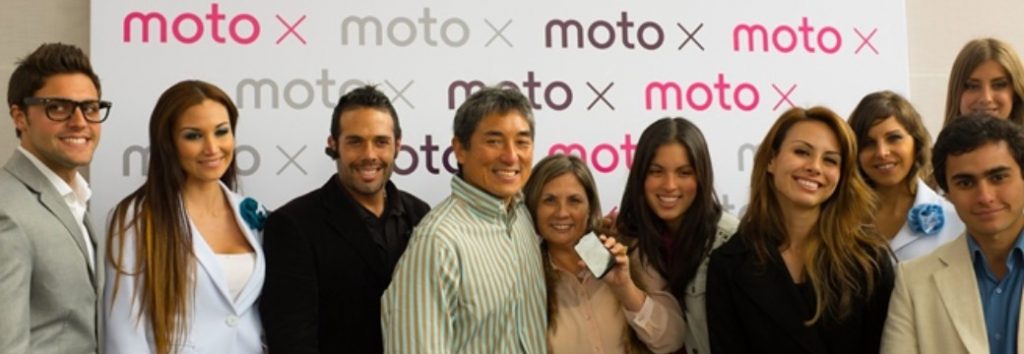
After the initial Moto X events, I requested an area for taking photos. The area needed good lighting and a backdrop with either the Motorola logo or “Moto X” printed all over it. Think of the pictures of celebrities at the Academy Awards — they’re standing in front of a backdrop with the Academy Award graphics.

I also learned that people will use this designated area by themselves and pose with their friends. They see the backdrop, and they think: “Let’s take a photo here to show we were at the event. Let’s pretend we’re Paris Hilton or David Beckham.” Roughly 100% of these photos get shared on social media — hopefully, many with your hashtag. The bottom line is that every picture is a branding opportunity.
Power Tip: You can use a product such as Adobe Lightroom to watermark your photos with your logo. This means that no matter where the photo is taken, your logo will appear.

11) Require your executives to be available for pictures.
At most events, company executives speak and then rush off to a limited access press conference or individual interviews. Then they might make a short appearance at meals but are surrounded by their “people” to protect them.

Give me a break. Tell them to press the flesh.

They should not only be happy to pose for pictures, they should proactively ask people to be in pictures with them. Roughly 80% of your guests would like to have a picture with the CEO of your company or your keynote speakers. No one is going to turn you down if you ask them to take a picture with your CEO. Roughly 100% of these photos get shared, too.

12) Take and share candid pictures.
Document your event as much as possible by hiring a photographer. He or she might cost $1,000/day, but this is roughly what you’re spending on the thumb-drives with your logo to give away.

The follow-up action is to distribute the pictures. I’ve spoken at hundreds of events. Most of them have paid photographers intruding at every instance, and yet I seldom see any of the pictures. Where are they used? Does the company not own the rights to the pictures so that it could freely distribute them?

We took candid photography to an extreme at the Moto X events. I posed with anyone who asked (and asked anyone who didn’t) in front of a backdrop with “Moto X” plastered on it whenever possible. My goal was that everyone who was at the event was in at least one picture.

After the event, we sent an email to guests telling them where they could find the collection of photos. We encouraged them to download the pictures and, of course, share them with the MotoX hashtag.

13) Make a slow-motion video.
I discovered one more useful tool to socialize an event: slow-motion video. Whereas pictures require too much clicking to view and regular-speed video moves too fast, slow-motion video is a perfect way to capture and share the images of dozens of guests. Just turn on your camera and walk through the crowd. Watch this video of a book party to see what I mean.

Power Tips: First, walk fast. When viewed, slow-motion video is approximately six times longer than regular video. Second, YouTube lets you add music to the video, and music makes a slow-motion videos sing. Third, grab the long link address for the video in your browser address bar (not the address you get by clicking on Share) and add “&hd=1” to it. This will ensure that people see the high-definition version.

14) Cover the earth.
Once you have pictures and video, share them on Facebook, Twitter, Pinterest, and Instagram with your hashtag. You can get away with posting as many as ten pictures per day from an event, so take your best shots and then provide a link to the rest of the album.

Nothing that I’ve mentioned is hard or extremely expensive, and none involve paying for social media services, but these actions can expand the impact of any event. Give them a try for your next event. I’ll be watching what’s trending to see how you do.

Original article posted on Hubspot.

Facebook: 10 Years since Social Media Took Over

How to Stop Your Employees Facebooking

February 2014 marked the 10-year anniversary of the social media pioneer, Facebook. Since its launch in 2004 by then 19-year-old Harvard student, Mark Zuckerberg, Facebook has revolutionised the way marketing, advertising and society function.

Creating a new demand
The advent of Facebook brought along with it a newfound desire for interconnectivity: everyone wanted to be a part of social media, and today, that need for constant connectedness continues.
Now, people of all ages, including the generations who grew up without the Internet, want to be seen and heard; they want to share and be noticed; they want to interact in real time, instantly, with hundreds or even millions of people at a time.

Inspiring innovation
This has had a profound impact in the way people now relate to one another and to how they form and maintain both new and old relationships. For the corporate world, it has shaken marketing and advertising to their core. Not only did Facebook and the other social media networks that followed (Twitter, Instagram, LinkedIn, etc.) offer an exciting, new platform for advertising, they also created the demand for a type of advertising that appealed to society’s freshly developed need for interactivity.

Marketing could no longer be about perfecting a catchy jingle or static artwork: now advertisers and marketers needed to engage with their target market by forming an interactive dialogue-based relationship with consumers.

Limitless marketing opportunities
Fortunately, the corporate world has responded with aplomb, offering up cutting-edge and creative ways of connecting with social media users. The ways of building your online audience to create awareness of your business are virtually endless. Beyond establishing a basic social media presence, companies can harness the full marketing potential of social media with innovative techniques: take Point and Stare‘s live Twitter feed, for example. It gives companies a fully branded, up-to-the-moment live feed that can be displayed on fully interactive screens at any corporate event.

Guests, along with anyone anywhere in the world, can Tweet about the company’s event and it will appear immediately on the live screen, generating that sense of connectedness and validation that is so valued by modern consumers.

For inspiring marketers and advertisers to innovate; for creating opportunities for affordable, effective online advertising; for giving users a voice – for all this and more, we thank you, Facebook.

7 signs your company website needs to move to WordPress

7 signs your company website needs to move to WordPress

Many years ago, having a fax machine meant you were running a ‘proper’ business.
A few years ago having a brochure website meant you were running a ‘proper’ business.
These days the first thing people will do is check out your website.

Is it up to date, does it load fast, does it give the visitor the right information?

If your website is stuck in brochure mode, you need to seriously reconsider its architecture and ease of use, not only for your future clients but also for your own peace of mind.

Not sure if it’s time you brought your website into the 21st Century? Hopefully this infographic will guide you in the right direction.

7 signs your company website needs to move to WordPress

If you’re ready to move your company to WordPress, get in touch today.

Social media: inviting your audience to be a part of something big

Social media: inviting your audience to be a part of something big

Thanks to the advent of social media, you no longer need to be a celebrity to see your name or face on screen. By creating a visual and interactive platform for everyone and anyone to have their voice heard and their image noticed across the technological spectrum of smart phones, laptops and tablets, social media has led to a sort of ‘jump on the bandwagon’ effect. People no longer want to sit in the sidelines – they want to be seen, heard, noticed, and involved.

Engage through dialogue
This is why marketing today must move from a monologue to a dialogue. Your audience doesn’t want to be talked at – they want to feel as though they’re playing an active part in your business, either by sharing a Facebook post, liking an Instagram photo or re-tweeting a message. Once this desire for interactivity is harnessed through a dynamic social media presence, your business has the opportunity to truly engage its target market. You also have a highly effective, unique avenue for promoting your events.

Tools to build hype
Rather than inviting your online audience to simply attend your business’ event, you can now invite them to be a part of it by making them active participants in its promotion. This in turn builds a genuine buzz around your event, because people aren’t hearing about it through a static advert; they’re hearing about it through their friends and colleagues’ posts, tweets, shares and hashtags. All you’ve got to do is put the right tools in place:

  • Develop a catchy #hashtag and bespoke URL for your event
  • Have an active presence on all social media sites
  • Get friends, colleagues, clients and event promoters to increase awareness by interacting with your social media content, and by using your event’s #hashtag and bespoke URL as often as possible
  • Create contests and competitions surrounding your event to generate even more interest

Mutual benefits
By tapping into people’s desire to be at the heart of the action and develop their own ‘screen presence’, this type of interactive event promotion can keep your event (and your business) top of mind for millions of social media users; it can even maintain marketing momentum after the event, with photos, statuses and tweets that will consolidate its success.

Make it happen
To find out more on how social media can enhance and promote your event, contact us at info@pointandstare.com or follow us on Twitter at Twitter.com/PointnadStare.

Using Post Objects – Advanced Custom Fields

Using Post Objects - Advanced Custom Fields

A recent project required that the client was able to create a list of links to internal posts.

There’s a few ways this can be achieved within WordPress but, ultimately, the client required a quick and easy solution that required nothing more taxing than a few clicks.
Using Advanced Custom Fields we could simply create a text field for each element and have the client manually add relevant content. This is ok to start with but a PITA having to go back/ forth/ copy/ pasting.

The more ‘proper’ (re: easier for the client) way of building this is to use ACF Post Objects but we also needed to include this option as a repeating option.
The client also wanted a single text field for manually adding title text and to not show the div if there wasn’t any content to show.

So, the brief would be:
– Repeater – Client could add as few/ many objects as required.
– Text field for title.
– Post Objects – Easiest option for pulling in the selected content.
– If no content, don’t show the div.

The steps:
First off, create the ACF panel:

Using Post Objects - Advanced Custom Fields

On the write page, this will then give the client:
Using Post Objects - Advanced Custom Fields

Then comes the coding.
At this stage it’s best to brush up on the semantics of building repeater and post object fields – I got confused myself, which lead me to Googling for the answer, which was an arduous task, which lead me to write this tutorial.

Using Post Objects - Advanced Custom Fields

or if you just want to copy/ paste the code:

<?php if ( get_field(‘test_object_repeater’) ) { ?>

<div>

<?php if( get_field(‘test_object_repeater’) )

{ while(has_sub_field(‘test_object_repeater’)) { ?>

<span><?php the_sub_field(‘test_title’); ?></span>

<?php $post_object = get_sub_field(‘test_link’);

if( $post_object ):

$post = $post_object;

setup_postdata( $post ); ?>

<h3><a href=”<?php the_permalink(); ?>”><?php the_title(); ?></a></h3>

<?php wp_reset_postdata(); ?>

<?php endif; }} ?>

</div>

<?php } ?>

Let’s break it down:
First we need to check if the repeater exists:
if ( get_field(‘test_object_repeater’) )

If it does exist, has it got any sub fields?
if( get_field(‘test_object_repeater’) ) { while(has_sub_field(‘test_object_repeater’))

Finally, load all the post object stuff:
$post_object = get_sub_field(‘test_link’)

We’re finding ACF more and more powerful and it helps cut time, and therefore costs, but mainly makes life so much easier for the client.

If any of the above confuses you, or you just need help with your WordPress project, get in touch.

5 Quick Fun Tips for your Google+ Profile

5 Quick Fun Google Plus tips-thumb

There are many social layers available to businesses looking to promote themselves in a positive light and none more relevant that Google+.
Rather healthily Google has positioned itself at number 1 on Google as the ‘go to’ destination for anything to do with SEO, social media and many business tools all available free or very low cost.

The time has gone when you simply needed a basic website, nowadays you need to work hard with your online presence (which is where Point and Stare come in) but this doesn’t mean that you can’t have a bit of fun.

This infographic shows 5 fun ways to be a bit less formal on Google+ and hopefully make you stand out amongst the herd.

5 Quick fun Google+ tips